Timer resolution
A Windows timing signal used in the responsiveness score.
Measure first
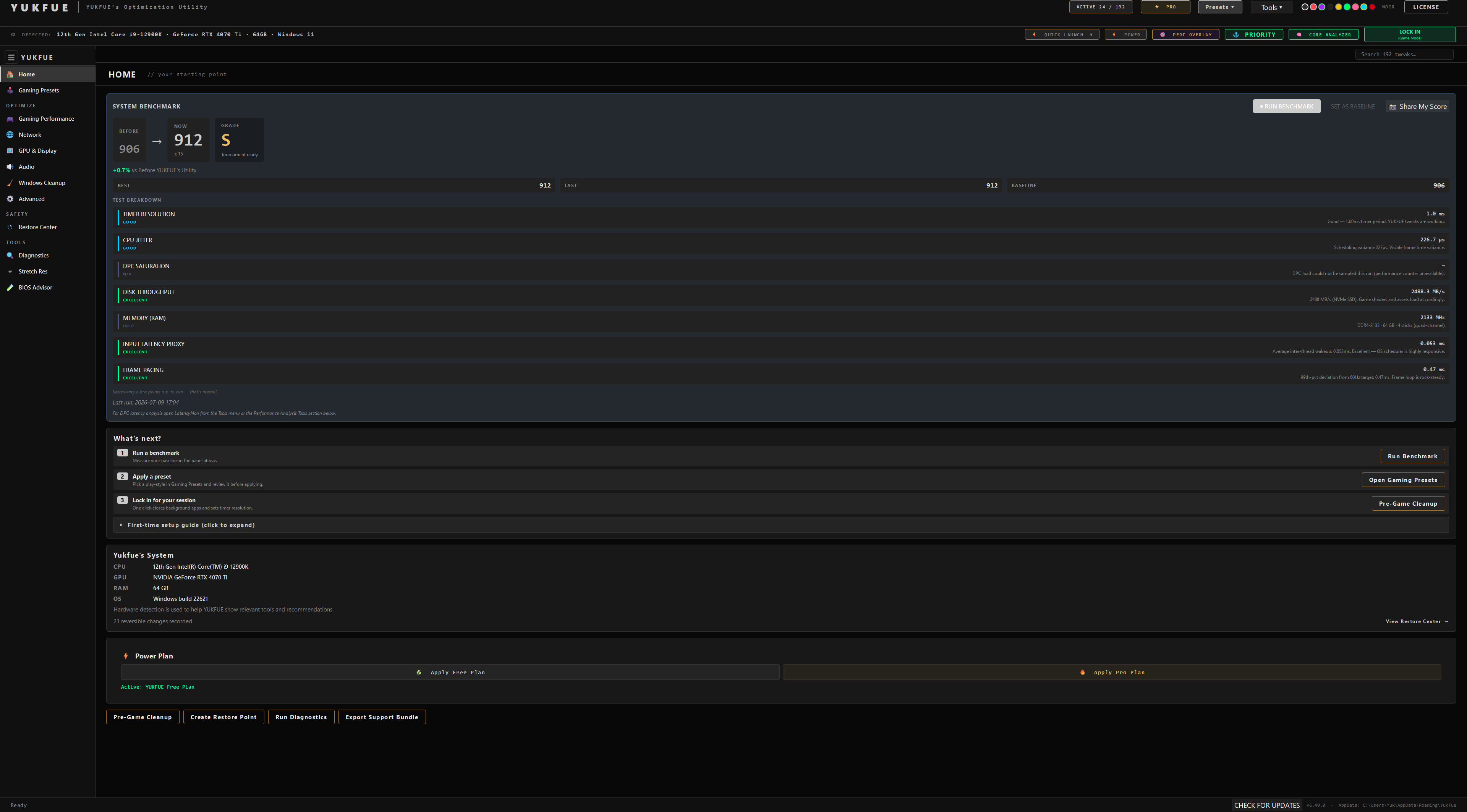
YUKFUE includes a built-in before→after benchmark so you can compare responsiveness signals on your own PC instead of relying on a universal FPS promise.
The benchmark flow
The workflow stays simple so the result remains understandable. It is a practical comparison on your machine, not a laboratory certification.
Measure the PC before applying the changes you want to evaluate.
Choose the tweaks or preset you intend to test. Keep the comparison focused on that change set.
Benchmark again after the selected changes are in place.
Review the before and after score with the app’s variance margin instead of treating every small move as meaningful.
Export a branded Share My Score card to your PC and clipboard when you choose to share the result.
What it measures
YUKFUE combines documented system signals into a benchmark score and presents a before→after comparison. It does not turn that score into a guaranteed FPS claim.
Results vary by hardware, starting state, drivers, thermals, background activity, and the changes being tested.
The useful question is whether your own result moves beyond normal run-to-run noise.
A Windows timing signal used in the responsiveness score.
Variation in processor timing behavior during the benchmark.
A signal related to deferred system work and responsiveness.
A storage responsiveness signal included in the composite comparison.
A memory responsiveness signal included in the benchmark.
A proxy signal—not a claim of direct end-to-end mouse-to-screen latency.
A pacing-related responsiveness signal, not a universal FPS measurement.
Variance is information
One run can move a few points because a PC is never perfectly still. YUKFUE includes a ± variance margin so a tiny change can be treated as effectively the same instead of being marketed as a win.
A better result, a worse result, or no meaningful change can all be useful outcomes. They tell you what happened on your PC during that comparison—not what every user should expect.
BEYOND NOISE
Review the direction and repeatability before drawing a conclusion.
WITHIN ±
Normal wobble is not repackaged as a dramatic percentage.
RECHECK
Check conditions and rerun before assuming the cause.
Share My Score
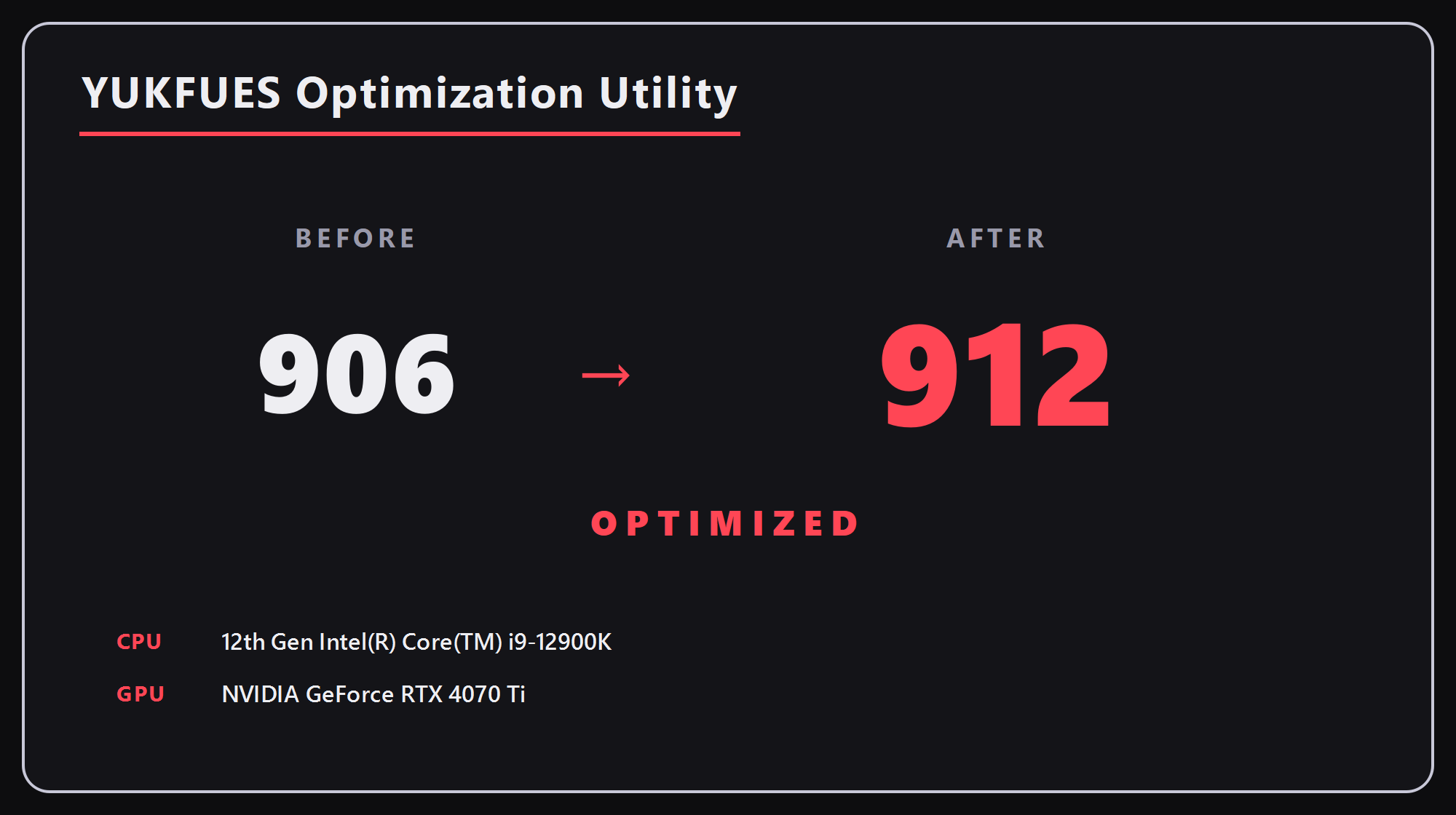
After a benchmark, YUKFUE can build a branded before→after card with the score plus CPU and GPU names. The image is saved to your PC and copied to the clipboard, ready for you to post if you want.
The sample card on this page demonstrates the format. It is not social proof, an average, or a promised outcome.
Cleaner comparison guidance
These are practical benchmarking habits, not a guarantee that every run will match.
Proof and control
The benchmark is included in Free, so you can test the workflow before deciding whether PRO’s additional tweak library and tools fit your needs.
01
Run the full benchmark and compare your own result without buying PRO first.
View Download page →02
Supported changes are backed up for Restore Center; rare one-way actions are labeled before you choose them.
Read Safety →03
Free stays useful. PRO is the optional $19.99 one-time path to the remaining 149 tweaks and additional tools.
Compare tiers →Your machine is the test
Start with the benchmark in Free, compare the tiers when you are ready, and keep the safety context close.
Read Safety →